Nerva is now on KlingEx exchange

$XNV Now Listed on KlingEx

Nerva (XNV) is now available for trading on KlingEx, a small but up-and-coming exchange that just added $XNV to its lineup.

About KlingEx

KlingEx is an emerging exchange still establishing itself in the crypto space. It may not be a household name yet, but it adds another option for those looking to trade $XNV. More trading venues means more accessibility for the Nerva community.

Getting Started

Signup is straightforward: email, password, confirm, done. No lengthy verification process to get through the door.

KlingEx offers plenty of USDT deposit options, and depositing is as simple as generating a deposit address and sending funds. For $XNV specifically, expect 60 confirmations before your deposit clears.

Once funded, placing buy and sell orders is easy enough. Worth noting: KlingEx also offers liquidity pools, which is an interesting addition for a smaller exchange, something to keep an eye on if you’re interested in providing liquidity rather than just trading.

What is Nerva?

If you’re new to Nerva, here’s the short version.

Nerva is a privacy cryptocurrency built on CryptoNote technology, the same foundation as Monero. Every transaction is untraceable by design – sender, receiver, and amount are all hidden on-chain. There are no transparent transactions, no optional privacy. It’s private by default, for everyone.

Beyond privacy, Nerva is one of the few coins that remains genuinely decentralized at the mining level. It is CPU-mineable only, with no ASIC support and no mining pools, keeping the network in the hands of individual participants rather than industrial operations.

No company. No venture capital. No developer tax. Just a community that believes in what it’s building.

Start Trading $XNV

The XNV/USDT trading pair is now live on KlingEx:

https://klingex.io/trade/XNV-USDT

A Reminder on Exchange Safety

As always – never keep more funds on any exchange than you are prepared to lose. Withdraw to your own wallet when you’re done trading.

Not your keys, not your coins.

Nerva on NoirTrade

$XNV Now Listed on NoirTrade

We’re pleased to announce that Nerva ($XNV) is now available for trading on NoirTrade, a non-KYC exchange that’s quietly building its presence in the crypto space.

About NoirTrade

NoirTrade is a small but growing exchange focused on accessibility and privacy. It requires no KYC verification and – notably – no email address to sign up. You set a password and receive a Login ID. That’s it.

It’s an early-stage platform, so we won’t oversell it. But its privacy-first approach makes it a natural fit for the Nerva community.

What is Nerva?

Nerva is a privacy coin built on the belief that cryptocurrency should remain accessible to everyone. CPU-mineable and pool-resistant by design, $XNV stays true to Satoshi’s original vision of one CPU, one vote – keeping mining decentralized and out of the hands of large mining pools and ASIC farms.

Getting Started on NoirTrade

The signup process is simple:

  1. Set a password – no email, no KYC
  2. You receive a Login ID to access your account
  3. Save your recovery codes somewhere safe
  4. Enable 2FA and store your authenticator backup codes securely
  5. Set refund addresses for XNV and POL (POL is used for USDT deposits and withdrawals)

Once set up, you can deposit $XNV and USDT and place both market and limit orders.

A Word of Caution

Never keep more funds on any exchange than you are prepared to lose. Practice good security hygiene, save your recovery codes, and always withdraw to your own wallet when you’re done trading.

Not your keys, not your coins.

Start Trading $XNV

Head over to NoirTrade and check out $XNV trading today:

https://noirtrade.com/trade?pair=XNV_USDT0

Nerva sync speed testing

Nerva Sync Speed: A Big Step Forward

One of the most common complaints from new Nerva users is how long it takes to sync the blockchain from scratch. We heard you. We’ve been working on a set of code optimizations (tracked internally as PR65) specifically targeting sync performance, and we now have real benchmark results to share.

On an AMD Ryzen 9 7950X, PR65 synced the entire Nerva blockchain — over 4.2 million blocks — in 19 hours and 49 minutes.

The baseline v0.2.0.0 release was measured at 23 hours 9 minutes to reach block 3.5 million; extrapolating at the observed rate, a full baseline sync would take approximately 32–33 hours. That puts the overall improvement at roughly 40% faster, or about 1.67x the throughput.


Where the gains are biggest

The improvement isn’t uniform — it grows as the blockchain gets more recent:

Chain sectionImprovement
Blocks 0 – 1M (older chain)~6% faster
Blocks 1M – 2M~33% faster
Blocks 2M – 3M~37% faster
Blocks 3M+ (most recent)~40%+ faster

The part of the chain that used to take the longest is now the part that benefits the most.


What changed under the hood

The optimizations target two areas of the block verification pipeline that had become increasingly expensive as the chain grew past Hard Fork 12:

Redundant weight median recomputation. Block weight limits are calculated using a rolling median of recent block weights. The old code recomputed this median from scratch for blocks it didn’t need to — particularly during the initial block cache build and for blocks in the middle of large sync batches. These calculations now happen only when actually needed.

Smarter cache validation. When looking up historical block data, the old code re-validated cached entries using a full hash comparison even when a simple height check was sufficient. The new code skips the expensive hash lookup when the block height already confirms we have the right entry.

Neither change touches consensus rules — they are purely internal performance improvements with no effect on how blocks are validated or the chain itself.


These improvements will ship very soon, alongside wallet restore speed improvements and several other fixes, but this is only step 1. More significant sync speed improvements are coming in Hard Fork 13.

Nerva crypto just turned 8-years-old

Eight Years of Nerva: Still Here, Still Yours

On May 1, 2018, a cryptocurrency called Nerva launched with an unusual promise: no ASICs, no GPUs, no venture capital. Just CPU mining without pools, privacy, and a community. Eight years later — against considerable odds — that project is still alive. That is worth talking about.

Where It Started

Nerva was created with a clear vision: a truly decentralized, CPU-only privacy coin built on Cryptonight Adaptive — an algorithm designed to stay resistant to specialized mining hardware and mining pools. No ASIC farms, no GPU rigs — just ordinary computers run by ordinary people.

The early years brought real momentum. The algorithm attracted attention, the CPU-only mining philosophy resonated with people who believed decentralization actually mattered, and a community began to form around something that felt different.

The Years Nobody Talks About

What happened next is the part of Nerva’s history that deserves the most respect. After the founder left in 2021, the project did not die. A small group of community members stepped in, stabilized the network, maintained the software, and kept building — NervaOne, NerVault, core updates — largely without recognition and certainly without guarantees.

It was not glamorous work. It was the kind of work that keeps something alive when it would be easier to walk away.

In January 2026, Nerva was listed on NonKyc exchange, bringing renewed visibility and fresh energy into the project. The current outstanding supply stands at 19.16 million XNV, and the network continues to tick along — one block per minute, as it always has.

What Just Shipped

The birthday comes with two significant releases.

Nerva Core Software v0.2.1.0 dropped on April 23, 2026. This point release brings new CLI options for DNS and block tracking, mining thread visibility in daemon status, wallet stability improvements, multi-architecture Docker images for broader platform support, and Android compatibility for running the daemon on mobile.

NervaOne Wallet and Miner v1.0.0 was released a few days ago. You can now run a full Nerva node or wallet directly from your phone. The interface was rebuilt from the ground up to work consistently across desktop and mobile. Setting up a public node connection is faster and simpler. The address book got meaningful improvements. Sensitive wallet data now has a shorter memory lifetime during operations. And for impatient users, you can download the blockchain database directly — no more waiting through a full sync from genesis.

Eight years in, Nerva now fits in your pocket.

What Comes Next Is Up to You

Nerva is an open-source, community-driven project. There is no company behind it. There is no funded team. There are no employees. What gets built is built by people who care enough to show up.

That is either a weakness or a strength depending entirely on what the community decides to do with it.

If you mine Nerva, you are mining a CPU-only privacy coin the way it was meant to be — solo, no pools, just your processor against the network. If you run a node, you are part of the network’s backbone. If you write code, document something, translate content, post on social media, answer a question from a new user, or simply tell someone that Nerva exists — you are contributing to whether this project becomes something.

No single person can make Nerva succeed. A few developers and a handful of dedicated contributors cannot do it alone either. The projects that survive at eight years and thrive at ten are the ones where the community treats it as theirs — because it is.

Get Involved

  • Mine XNV — any CPU can participate. See the mining guides at nerva.one.
  • Run a node — NervaOne v1.0.0 makes it easier than ever, including on Android.
  • Contribute code — the repositories are open. Pull requests are welcome.
  • Build something new — create something that uses XNV.
  • Spread the word — write about it, post about it, tell someone.
  • Join the conversation — find the community on Discord, Telegram and socials.

Eight years is a long time for a small project to survive. Whether the next eight years are remarkable is not predetermined. It depends on the people who decide to be part of it.

Whether Nerva becomes something — that is up to you.

Happy birthday, Nerva.

NervaOne wallet and miner v1.0.0 release

NervaOne Wallet and Miner v1.0.0 – Android Has Arrived

The biggest NervaOne release yet is finally here.

We’ve been working toward this for a long time, and today we’re proud to announce the official release of NervaOne Wallet and Miner v1.0.0 — our most significant update to date.

The headline? NervaOne is now on Android.

Android Support — Full Node in Your Pocket

Starting with v1.0.0, NervaOne runs natively on Android. Whether you want to run a full node or use it as a wallet only, the choice is yours — right from your phone. This has been one of the most requested features from our community, and we’re thrilled to finally deliver it.

A Redesign Built for Every Screen

To support Android properly, we went back and redesigned the majority of NervaOne’s views from the ground up. The result is an interface that feels at home on both desktop and mobile — clean, functional, and consistent across devices.

Easy Public Node Setup

Connecting to the network is now simpler than ever. The new Public Node setup flow gets you connected quickly with minimal configuration — ideal for users who want the NervaOne experience without running a full node.

Improved Address Book Integration

The Address Book has received meaningful improvements in this release, making it easier to manage your contacts and streamline transactions.

Better Memory Security for Wallet Operations

We’ve reduced the lifetime of sensitive data in memory during wallet operations, tightening up security where it matters most.

Faster Sync with Blockchain Database Download

For those who cannot wait to synchronize their blockchain database, there is now new download blockchain database option that lets you skip the long initial sync by downloading the chain directly – saving you significant time when setting up.

What Else Changed?

The application has been officially renamed to NervaOne, with the app folder updated to match. A clean name for a clean new chapter.

You can download latest version from GitHub or website:

🔗 https://github.com/nerva-project/nerva/releases/tag/v0.2.1.0

🔗 https://nerva.one/#downloads

Have questions or feedback? Join the conversation in our Discord and Telegram communities. We’d love to hear how v1.0.0 is running for you.

NervaOne New Folder Structure

NervaOne Folder Structure Changes

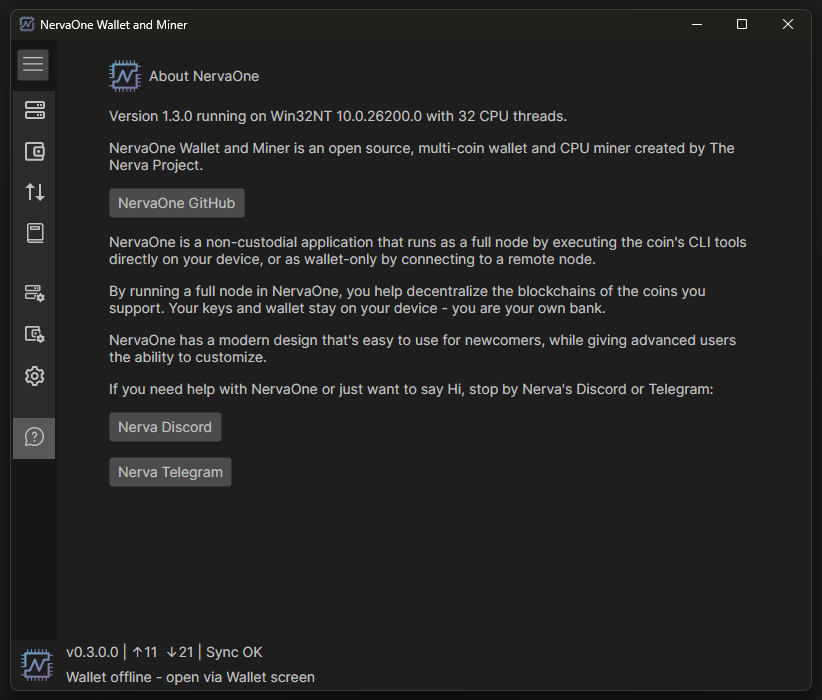
Now that NervaOne also works on Android, it made sense to rename the application and make some folder structure changes.

If you are running NervaOne v0.8.5.0 or any of the builds prior to v1.0.0, you might want to copy some files over to the new directory structure.

First, make sure you have seed phrases and private keys saved securely for all you wallets!

If you run NervaOne v1.0.0, it will create new application folder called NervaOne and put all files under that directory. If you didn’t have any wallet files, you can just go to Daemon Setup and set up Mining Address or any other settings manually.

Migrate Application Settings

If you want to migrate your setting, go to Settings > Open Logs Folder

From there, go up 2 directories and you will see new NervaOne folder as well as old one called NervaOneDesktop. Go into NervaOneDesktop, copy app.config file and paste it into NervaOne directory.

Migrate Address Book

If you had address book, go to Wallet Setup > Open Wallets Folder

Find the same folder under NervaOneDesktop and you will find address.book file there. Under new NervaOne folder structure, this file has been moved and it needs to go under NervaOne > coins > xnv (or another coin such as xmr)

Migrate Wallets

If you want to move wallets, go to Wallet Setup > Open Wallets Folder

Find the same folder under NervaOneDesktop and copy all your wallet files to the new folder.

Migrate Client Tools

If you’re running custom build of CLI tools, go to Daemon Setup > Open Client Tools Folder

Find the same folder under NervaOneDesktop and copy the files from there to the new folder.

That’s it.