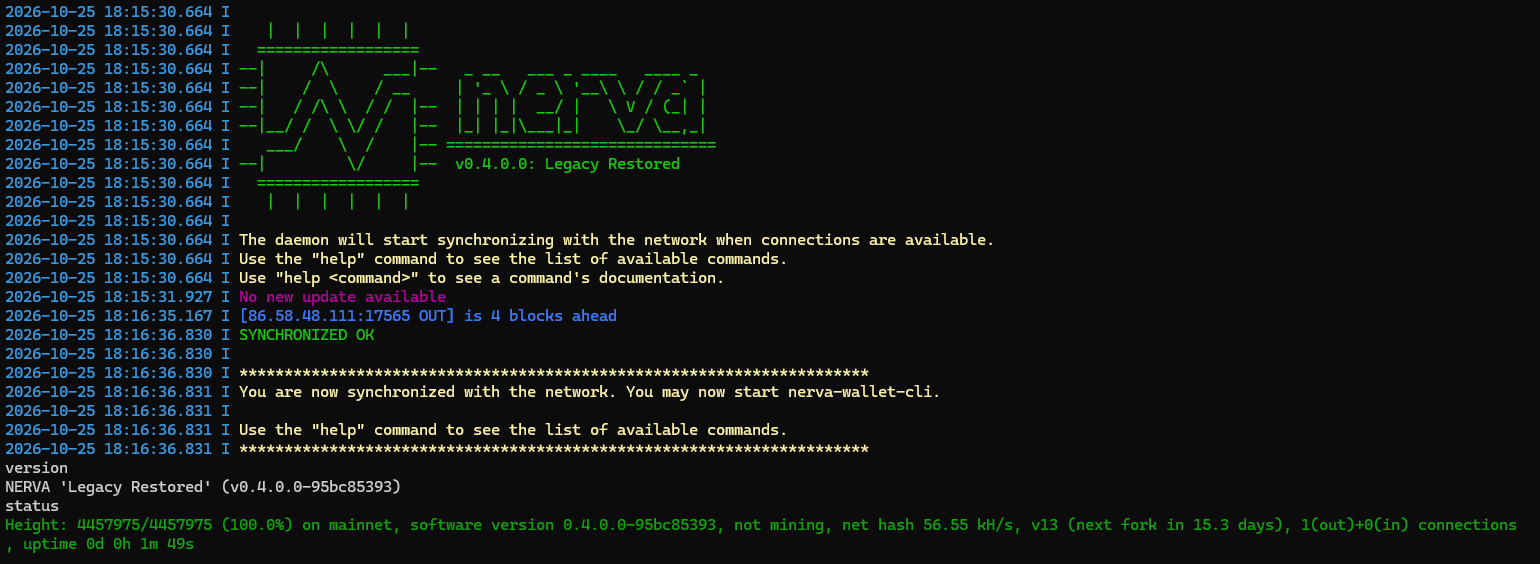
Today we’re releasing Nerva v0.4.0.0 “Legacy Restored”, and with it Hard Fork 14, the biggest privacy upgrade in Nerva’s history. This is a mandatory hard fork. Every node operator, miner, service and wallet user needs to update. If you run any Nerva software, this post is for you.
The short version
- Download and install v0.4.0.0 now: https://nerva.one/#downloads
- The fork activates at block 4,480,000, approximately November 10, 2026 (around 01:30 UTC).
- If you have not upgraded by that block, your node stops following the real Nerva network.
Please don’t wait for the deadline. Upgrade early, confirm your node is happy, and you’re done.
Why “Legacy Restored”
Our first release after the original creator stepped away was “Legacy Reborn”. With “Legacy Remade” we rebuilt the mining algorithm for Hard Fork 13. “Legacy Restored” brings Nerva’s Proof of Work back to the core of the original algorithm, improved with what we’ve learned since, and pairs it with a major step forward in transaction privacy.
What’s new in this fork
Stronger privacy: ring size 16. Every transaction now hides the real input among 16 possible inputs instead of 5. That makes it much harder for anyone analyzing the blockchain to tell which output was actually spent.
CLSAG signatures and Bulletproofs+. These are the same signature and range-proof schemes Monero uses today, and they are among the most heavily reviewed in privacy crypto. They are more efficient than the schemes they replace, which is what keeps the larger ring size affordable.
CryptoNight-Adaptive v8, our new Proof of Work. CNA v8 brings back the compact 1 MB core of the algorithm Nerva ran before Hard Fork 13. It replaces HF13’s 8 MB scratchpad and randomized virtual-machine program. Like every CryptoNight-Adaptive version, it ties mining to real blockchain data. The difference is that HF13 read from a sliding window of recent blocks, while v8 draws from the chain’s entire history. It stays CPU-friendly, GPU and ASIC resistant, and pool-resistant, and it is far cheaper for nodes to verify: one CPU, one vote.
Faster sync. Checking a v8 proof of work is far cheaper than checking a v6 one. On testnet, a computer verified the proof of work for a block in under a millisecond, and sync over the Hard Fork 14 range is about 4x faster.
Security hardening. This release includes fixes from an independent security review shared by our community:
- the ZMQ interface is now off by default;
- the Docker image serves a restricted RPC;
- extra wallet and RPC safety checks;
- Unbound updated to 1.26.1, which fixes critical DNSSEC vulnerabilities.
Closing the gap with Monero
Nerva is built on Monero’s battle-tested privacy technology, and keeping our codebase current with Monero’s improvements is an ongoing commitment. CLSAG and Bulletproofs+ are a direct result of that work, ported carefully while keeping what makes Nerva its own coin: our own CryptoNight-Adaptive algorithm and pool resistance. This release also brings in a long list of security and stability fixes from upstream.
We tested this thoroughly
Hard Fork 14 went through four rounds of public testnet before reaching mainnet. In the final round:
- every one of our 15 planned tests passed;
- the fork activated cleanly;
- more than 15,000 ring-16 transactions were sent by over 350 test wallets;
- transactions in the old format were correctly rejected after the fork;
- the new build followed mainnet for 18.5 hours without a single error.
We then tested the release build itself on real hardware: Windows, Linux, macOS on Apple Silicon, and Android. Every device synced the full testnet, mined blocks the network accepted, and sent transactions.
What to expect after the fork
Hashrate will jump. CNA v8 is much lighter to compute than HF13’s algorithm, so the same CPU produces far more hashes per second. Expect your miner’s hashrate, and the network hashrate shown by explorers, to rise roughly 25 to 50 times after block 4,480,000. That isn’t a flood of new miners: the same machines are simply doing more, cheaper hashes. Your share of the network, and so your share of blocks, stays the same.
Blocks will come fast for an hour or two. At the fork, the difficulty is still set for the old, slower algorithm. On testnet, blocks arrived every few seconds right after the fork, and the difficulty caught up within about two hours. After that, blocks were back to the usual 60 seconds. Expect the same on mainnet. It sorts itself out automatically and no action is needed.
What you need to do
The action is the same for everyone: replace your old binaries with v0.4.0.0 and restart. Who this applies to:
- Miners: update before the fork, or you will be mining blocks the network rejects. Your work after block 4,480,000 only counts if you’re on v0.4.0.0.
- Node operators: update to stay connected to the network and keep serving the wallets and miners that depend on you.
- Exchanges and services: update your daemons ahead of the fork to avoid deposit and withdrawal downtime.
- Everyday wallet users: update your wallet software so you can keep sending and receiving after the fork.
A few things to know:
- Update your wallet and node together. An older wallet connected to a v0.4.0.0 node reports “no connection to daemon”, even though the node is fine.
- Transactions get a little bigger. A typical transaction is about 22% larger, and because fees are charged per started kilobyte, the fee for a typical 2-in/2-out transaction rises by about 50%.
- Multisig wallets: existing multisig wallets cannot spend after the fork. Move any funds out before block 4,480,000.
- Hardware wallets: Ledger devices cannot sign Hard Fork 14 transactions.
- macOS: if the binaries are blocked, run
xattr -dr com.apple.quarantine on the folder, or allow them under System Settings > Privacy & Security. - Node operators using ZMQ: it is now off by default. Enable it with
--zmq-rpc.
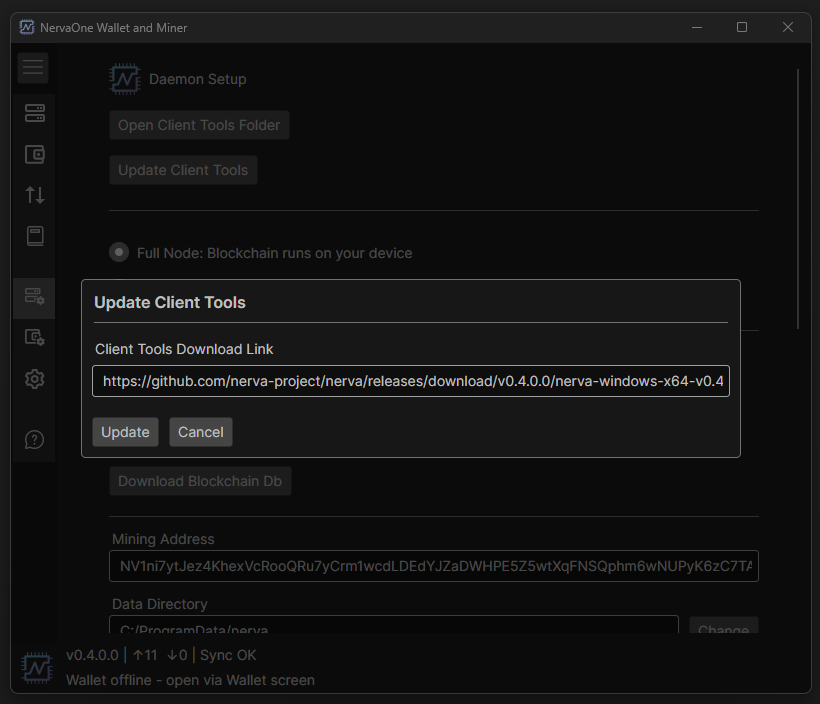
Using NervaOne? A new NervaOne release with the updated binaries built in is coming in the next few days. If you’d rather not wait, you can update right now: go to Daemon Setup > Update Client Tools and paste the daemon download URL for your operating system from the download page below. If you run the CLI daemon and wallet directly, grab the v0.4.0.0 binaries and swap them in.
Get it now
This release exists because of the people who wrote the code, reviewed it, ran testnet nodes, and pointed their CPUs at the network. Thank you to everyone who helped. One CPU, one vote, still true and still worth defending. Upgrade, tell a fellow Nerva miner, and let’s cross the fork together.