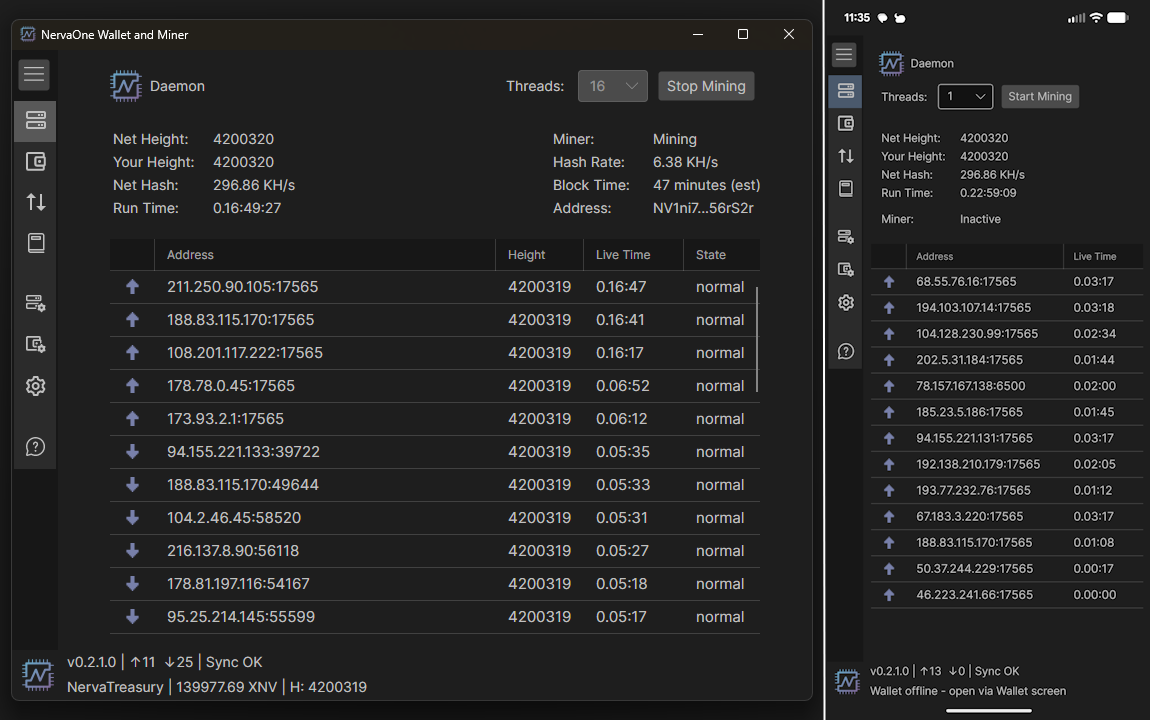
NervaOne wallet and miner v1.0.0 release

NervaOne Wallet and Miner v1.0.0 – Android Has Arrived

The biggest NervaOne release yet is finally here.

We’ve been working toward this for a long time, and today we’re proud to announce the official release of NervaOne Wallet and Miner v1.0.0 — our most significant update to date.

The headline? NervaOne is now on Android.

Android Support — Full Node in Your Pocket

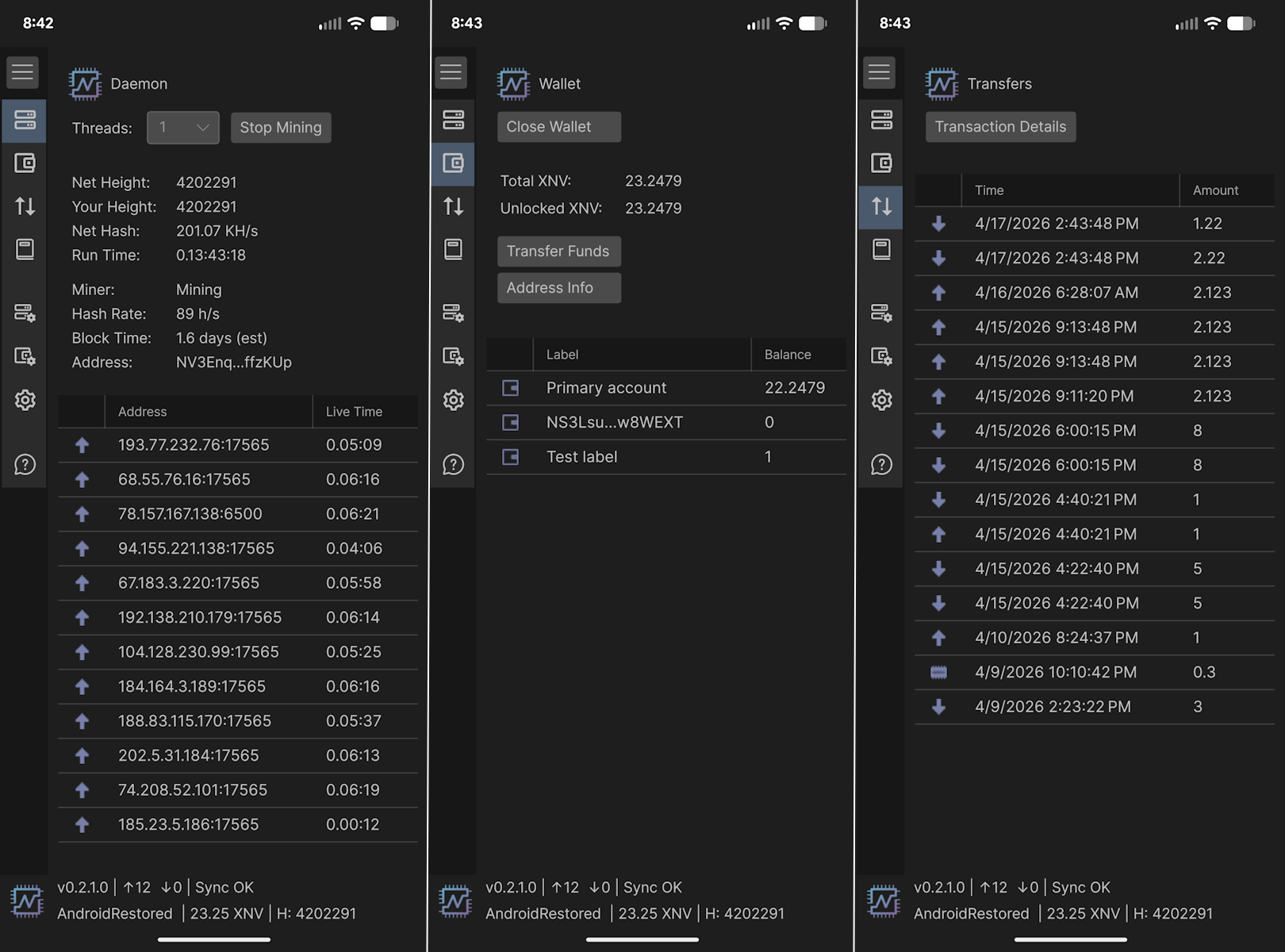
Starting with v1.0.0, NervaOne runs natively on Android. Whether you want to run a full node or use it as a wallet only, the choice is yours — right from your phone. This has been one of the most requested features from our community, and we’re thrilled to finally deliver it.

A Redesign Built for Every Screen

To support Android properly, we went back and redesigned the majority of NervaOne’s views from the ground up. The result is an interface that feels at home on both desktop and mobile — clean, functional, and consistent across devices.

Easy Public Node Setup

Connecting to the network is now simpler than ever. The new Public Node setup flow gets you connected quickly with minimal configuration — ideal for users who want the NervaOne experience without running a full node.

Improved Address Book Integration

The Address Book has received meaningful improvements in this release, making it easier to manage your contacts and streamline transactions.

Better Memory Security for Wallet Operations

We’ve reduced the lifetime of sensitive data in memory during wallet operations, tightening up security where it matters most.

Faster Sync with Blockchain Database Download

For those who cannot wait to synchronize their blockchain database, there is now new download blockchain database option that lets you skip the long initial sync by downloading the chain directly – saving you significant time when setting up.

What Else Changed?

The application has been officially renamed to NervaOne, with the app folder updated to match. A clean name for a clean new chapter.

You can download latest version from GitHub or website:

🔗 https://github.com/nerva-project/nerva/releases/tag/v0.2.1.0

🔗 https://nerva.one/#downloads

Have questions or feedback? Join the conversation in our Discord and Telegram communities. We’d love to hear how v1.0.0 is running for you.

NervaOne New Folder Structure

NervaOne Folder Structure Changes

Now that NervaOne also works on Android, it made sense to rename the application and make some folder structure changes.

If you are running NervaOne v0.8.5.0 or any of the builds prior to v1.0.0, you might want to copy some files over to the new directory structure.

First, make sure you have seed phrases and private keys saved securely for all you wallets!

If you run NervaOne v1.0.0, it will create new application folder called NervaOne and put all files under that directory. If you didn’t have any wallet files, you can just go to Daemon Setup and set up Mining Address or any other settings manually.

Migrate Application Settings

If you want to migrate your setting, go to Settings > Open Logs Folder

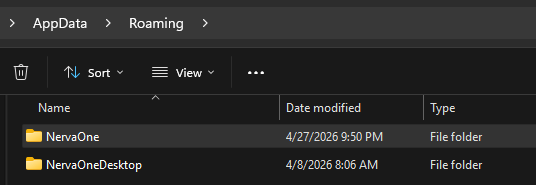
From there, go up 2 directories and you will see new NervaOne folder as well as old one called NervaOneDesktop. Go into NervaOneDesktop, copy app.config file and paste it into NervaOne directory.

Migrate Address Book

If you had address book, go to Wallet Setup > Open Wallets Folder

Find the same folder under NervaOneDesktop and you will find address.book file there. Under new NervaOne folder structure, this file has been moved and it needs to go under NervaOne > coins > xnv (or another coin such as xmr)

Migrate Wallets

If you want to move wallets, go to Wallet Setup > Open Wallets Folder

Find the same folder under NervaOneDesktop and copy all your wallet files to the new folder.

Migrate Client Tools

If you’re running custom build of CLI tools, go to Daemon Setup > Open Client Tools Folder

Find the same folder under NervaOneDesktop and copy the files from there to the new folder.

That’s it.

Avalonia 12 crash issue

Avalonia 12 Crashes on Older Windows Versions

Avalonia 12 crashes on Windows Server 2012 R2 and other older systems so NervaOne Is staying on Avalonia 11.

The error looks like this in the Windows Problem Reports dialog:

Problem Event Name:    APPCRASH
Application Name:      NervaOneDesktop.exe
Fault Module Name:     KERNELBASE.dll
Exception Code:        e0434352

    This is a .NET runtime exception (0xe0434352 = CLR exception code) that surfaces as an unhandled crash at process startup, before the application window even opens. The root cause is not a bug in NervaOne itself — it is a dependency change introduced in Avalonia 12.

    Root Cause: Avalonia 12 Bundles SkiaSharp 3.119+, Which Requires DirectX 12

    Avalonia 12 upgraded its rendering backend from SkiaSharp 2.x to SkiaSharp 3.119+. This new version of SkiaSharp dropped support for DirectX 11 and now requires DirectX 12 as its Windows rendering backend.

    DirectX 12 requires Windows 10 (version 1507 or later) at minimum. Any system running an older version of Windows does not have DirectX 12 and cannot load the SkiaSharp native library. The result is a hard crash at startup — no fallback, no error message, just APPCRASH.

    The Avalonia team is aware of this. The issue was reported on GitHub (avaloniaui/Avalonia #20710) and was officially closed as “by-design.” There is no planned fix. Avalonia 12’s minimum supported platform on Windows is Windows 10 build 19045 (22H2).

    GitHub issue: https://github.com/AvaloniaUI/Avalonia/issues/20710

    Affected Operating Systems

    Any Windows version that shipped before DirectX 12 is affected. This includes:

    Operating SystemDirectX VersionAffected?
    Windows Server 2012 R2DirectX 11.1YES – crashes
    Windows Server 2012DirectX 11.0YES – crashes
    Windows 8.1DirectX 11.1YES – crashes
    Windows 8DirectX 11.0YES – crashes
    Windows 7DirectX 11.0YES – crashes
    Windows Server 2008 R2DirectX 11.0YES – crashes
    Windows Server 2008DirectX 10.1YES – crashes
    Windows 10 early builds (pre-1507)DirectX 11.3YES – crashes
    Windows 10 (1507 / build 10240+)DirectX 12Works
    Windows Server 2016 and laterDirectX 12Works

    Android

    Avalonia 12 also drops older Android support. The officially supported Android tier now requires Android 12 (API level 31) or higher. Devices running Android 8, 9, 10, or 11 may encounter rendering issues or crashes.

    Linux

    Linux systems without Vulkan support or with very old Mesa drivers may also experience startup failures under Avalonia 12’s new rendering stack.

    What We Observed

    We confirmed this after trying to run NervaOne on VPS servers with Windows Server 2012 R2. The crash is 100% reproducible:

    • NervaOne built with Avalonia 11.3.14 -> starts and runs correctly
    • NervaOne built with Avalonia 12.0.x -> crashes immediately on startup

    What NervaOne is Doing

    NervaOne will NOT be upgrading to Avalonia 12.

    We are staying on Avalonia 11.3.14 (the latest 11.x patch release) to maintain compatibility with:

    • Windows Server 2012 R2 and older Windows Server editions
    • Windows 8.1 and earlier
    • Older Android devices (Android 8+)
    • Low-end VPS environments

    We take compatibility seriously. Many Nerva users run NervaOne on modest hardware and server environments, and we do not want an upstream rendering dependency to silently break the app for those users.

    We will revisit the Avalonia 12 upgrade path if the team introduces a software fallback renderer for DirectX 11 systems. Until then, Avalonia 11.3.14 is stable and fully functional for our needs.

    Technical Reference

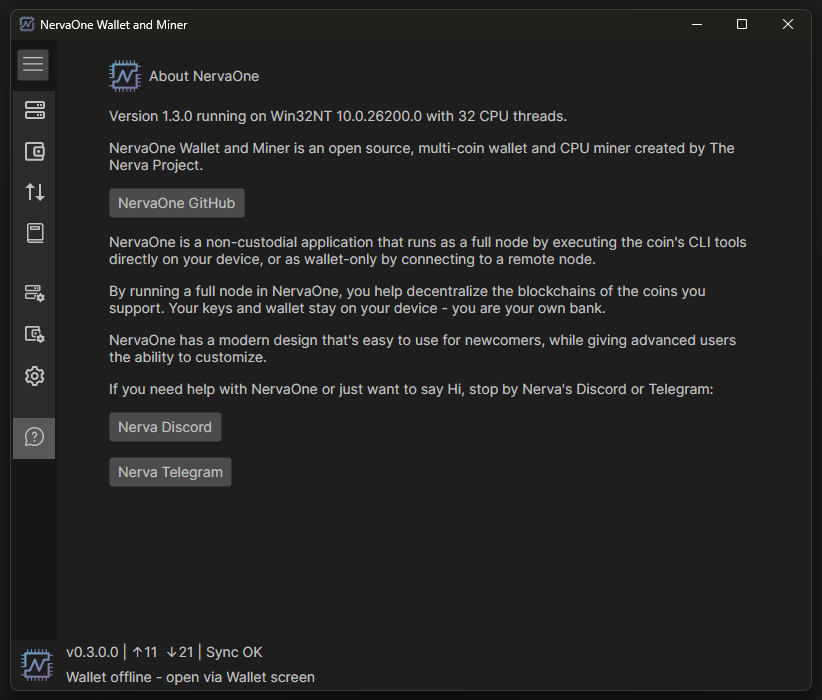
    NervaOne is an open-source wallet and miner for the Nerva (XNV) cryptocurrency.
    Source code: https://github.com/nerva-project/NervaOneWalletMiner

    NervaOne Wallet and Miner

    NervaOne v0.8.5.0 Released

    NervaOne Wallet and Miner, version 0.8.5.0 has just been released.

    New functionality includes the ability to run as wallet only by connecting to remote node and Net Hash Threshold. It also includes some bug fixes and other minor improvements.

    You can download it from NervaOne GitHub

    Or from Nerva’s website: https://nerva.one/#downloads

    Thank you everybody who helped make this release possible.

    Nerva Wallet and Miner, New vs Old

    NervaOne Desktop

    Over the last several months, new open-source, non-custodial, multi-coin GUI has been developed from scratch by Nerva team. It’s called NervaOne Desktop and it replaces Nerva’s old GUI wallet and miner.

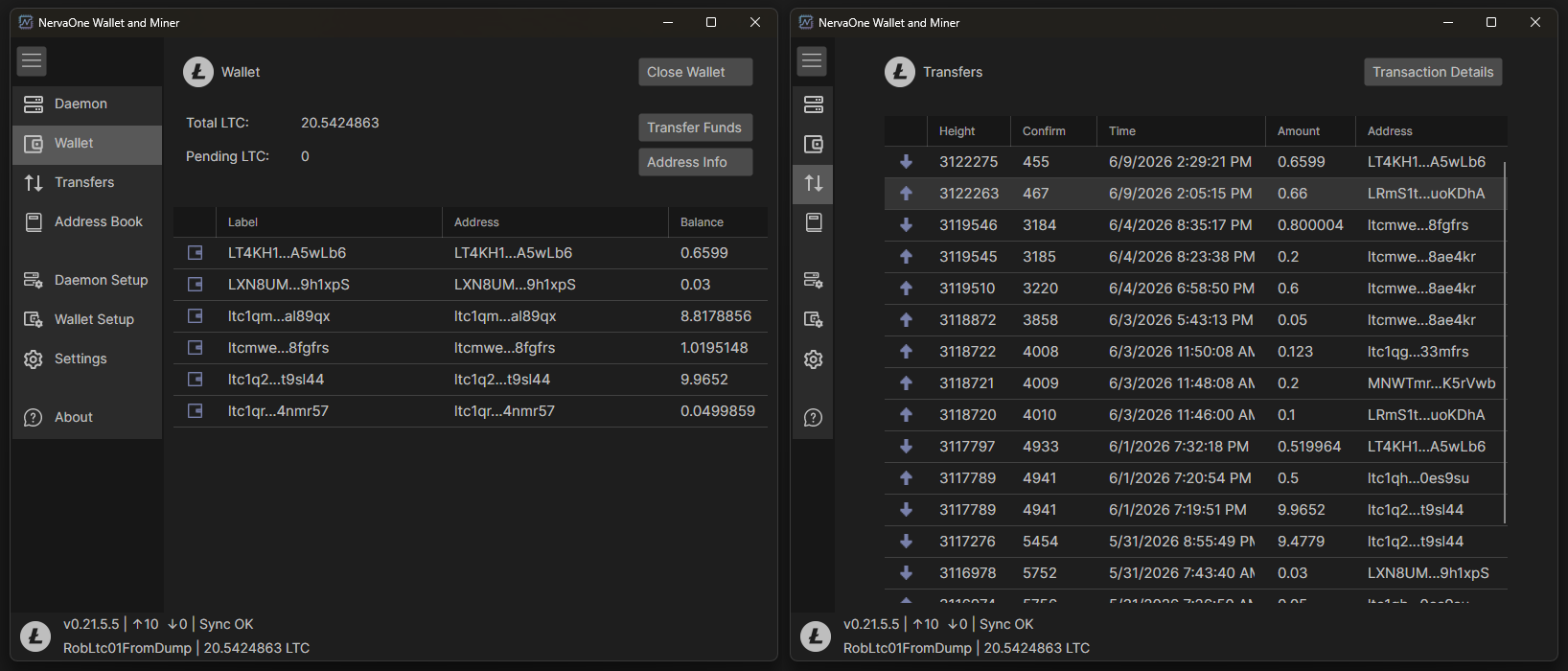
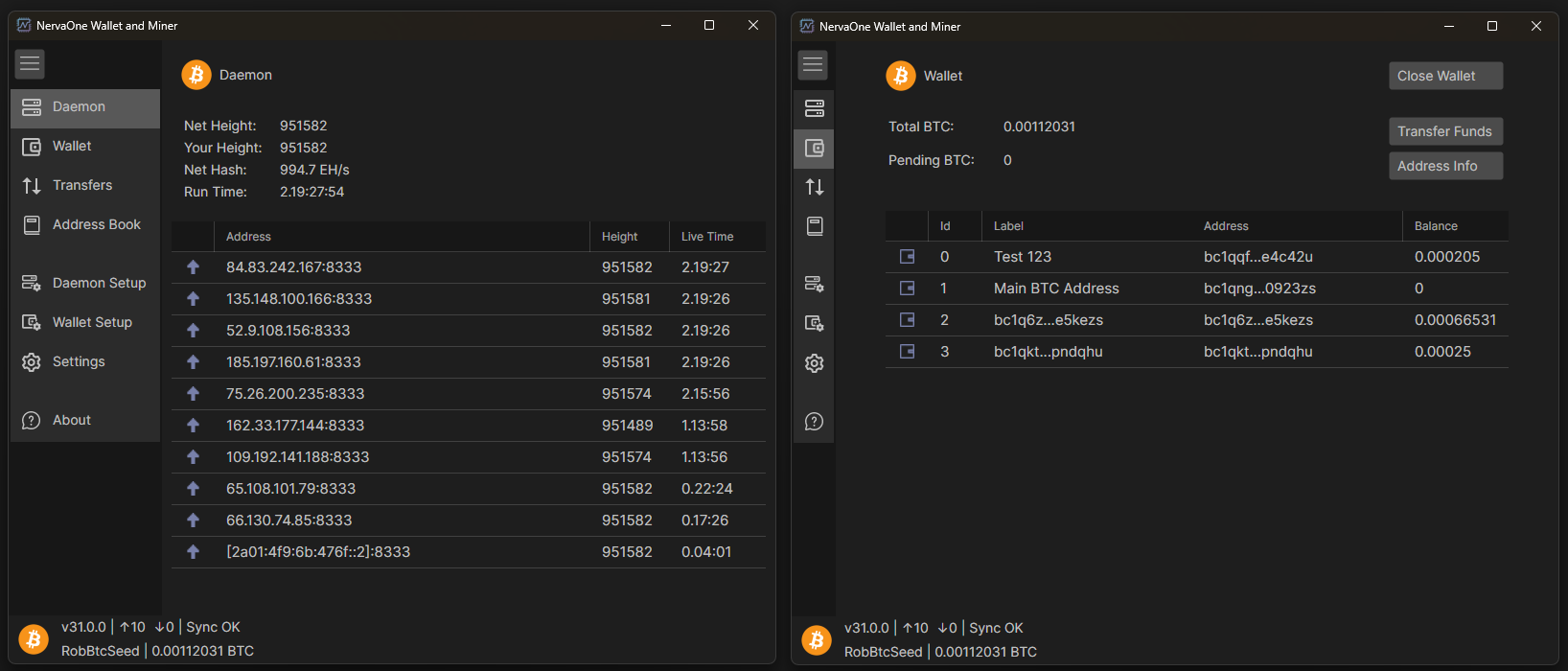
    Not only is NervaOne wallet and miner for Nerva, but it currently also supports 3 other cryptocurrencies: $XMR $WOW and $DASH. More crypto projects can be added in the future, if there is interest.

    NervaOne Desktop is a non-custodial solution so it uses client tools (or daemon) that runs on your own computer. This way, you do not need to trust anybody else to use wallet functionality.

    In the next few weeks, work on phase 2 will begin. We will build on top of NervaOne Desktop and create NervaOne Mobile that will provide crypto wallet functionality on mobile devices. NervaOne Mobile will use your own NervaOne Desktop as an interface to provide wallet functionality. This way, not only are you not trusting any 3rd party, NervaOne Mobile does not need to store any sensitive info on your mobile device.

    If you care about your crypto privacy and want to support crypto projects by running your own node, helping to decentralize them, it does not get any better than NervaOne!

    NervaOne Desktop can be downloaded from GitHub:

    https://github.com/nerva-project/NervaOneWalletMiner