NervaOne v1.4.0 is now available for Windows, Linux, macOS, and Android. It gets your node and wallet ready for Nerva’s Hard Fork 14, makes the wallet screens easier to start with, adds a remote node connection test, and updates the bundled CLI tools for all supported coins.
Ready for Hard Fork 14
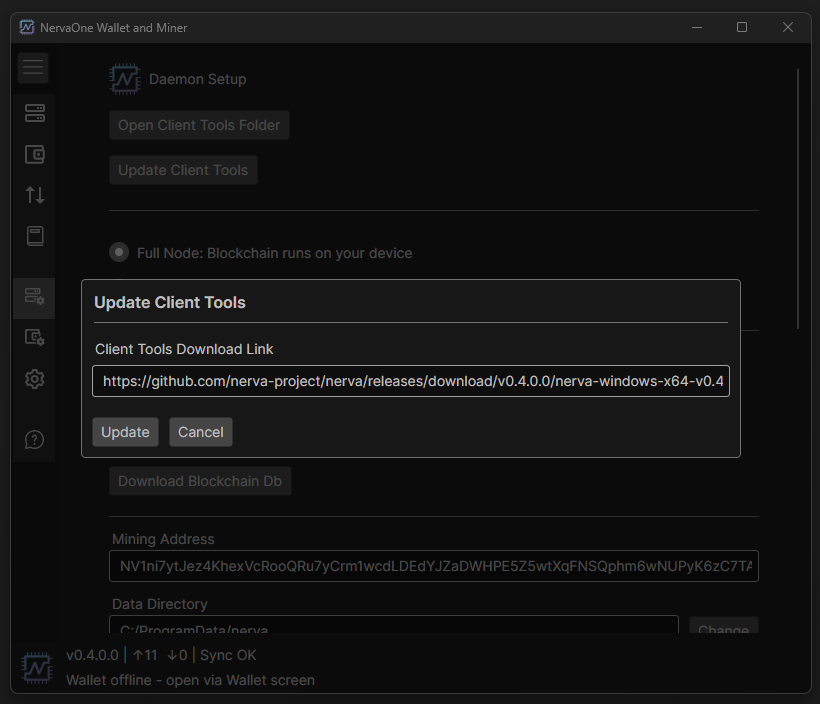
Nerva’s hard fork, v0.4.0.0 “Legacy Restored,” activates at block 4,480,000 (around November 10, 2026) and is mandatory. Nodes and wallets older than v0.4.0.0 stop working with the network after the fork. NervaOne v1.4.0 points to the new v0.4.0.0 files. Once you have the updated NervaOne, go to Daemon Setup > Update Client Tools, check that the link points to v0.4.0.0, and click Update. New users just download v1.4.0. Either way, update before the fork.
Update your wallet and node together
The v0.4.0.0 wallet and node don’t work with older versions. A new wallet can’t refresh against an old node, and an old wallet can’t refresh against a new node. Both show up as “no connection to daemon.” If you use wallet-only mode with a remote node, make sure that node runs v0.4.0.0. The new Test Connection button in Daemon Setup lets you check a remote node before you switch to it.
Rescan Spent needs your own node
With v0.4.0.0, Rescan Spent only works with a trusted node, which means your own local node. If you’re connected to a remote node, NervaOne now tells you so and points you to Rescan Blockchain instead. Monero works the same way.
Other improvements
- Wallet and Transfers screens now show what to do next when no wallet is open
- Sync progress bars in the status bar
- Fixed wallet close when switching node type, and the BTC wallet open timeout
- Updated bundled CLI tools: Nerva v0.4.0.0, Monero v0.18.5.4, Dash v23.1.8, Litecoin v0.21.5.8 and Bitcoin v31.1
Download
Get NervaOne v1.4.0 from the downloads page or from GitHub. Each release includes a GPG-signed list of SHA256 hashes, and we recommend verifying your download against it. NervaOne is open source and non-custodial; your keys never leave your device.